AAPA Website Tutorial – Logging into the website: www.pathassist.org
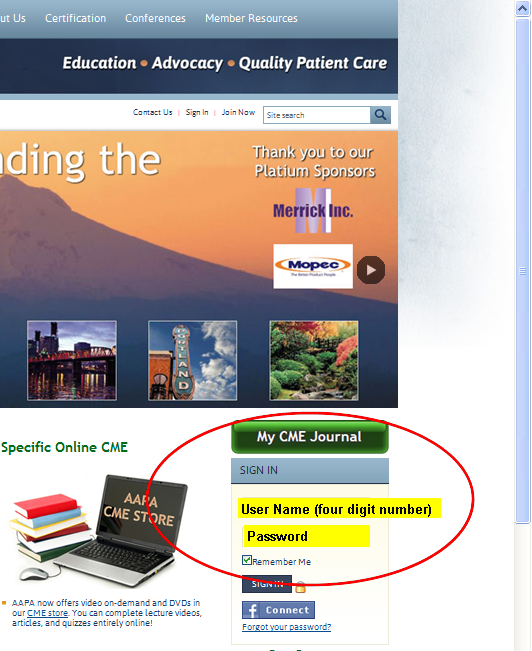 |
STEP 1: Welcome to the homepage! You can reach the home page for the AAPA by clicking the link above. Once there, you can log into our website utilizing the sign in area of the home page, located here in the red circle. If you have forgotten your user name, contact the AAPA at:
1-800-532-AAPA
|
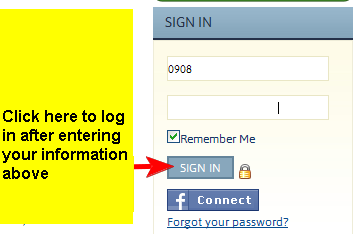
| STEP 2: Once you have your user name and password entered, click on the sign-in button to proceed. If you check the “Remember Me” box while on a secure computer (not a public computer), the webpage will remember who you are the next time you come back to the website, so you shouldn’t have to log in each time you stop by. |
 |
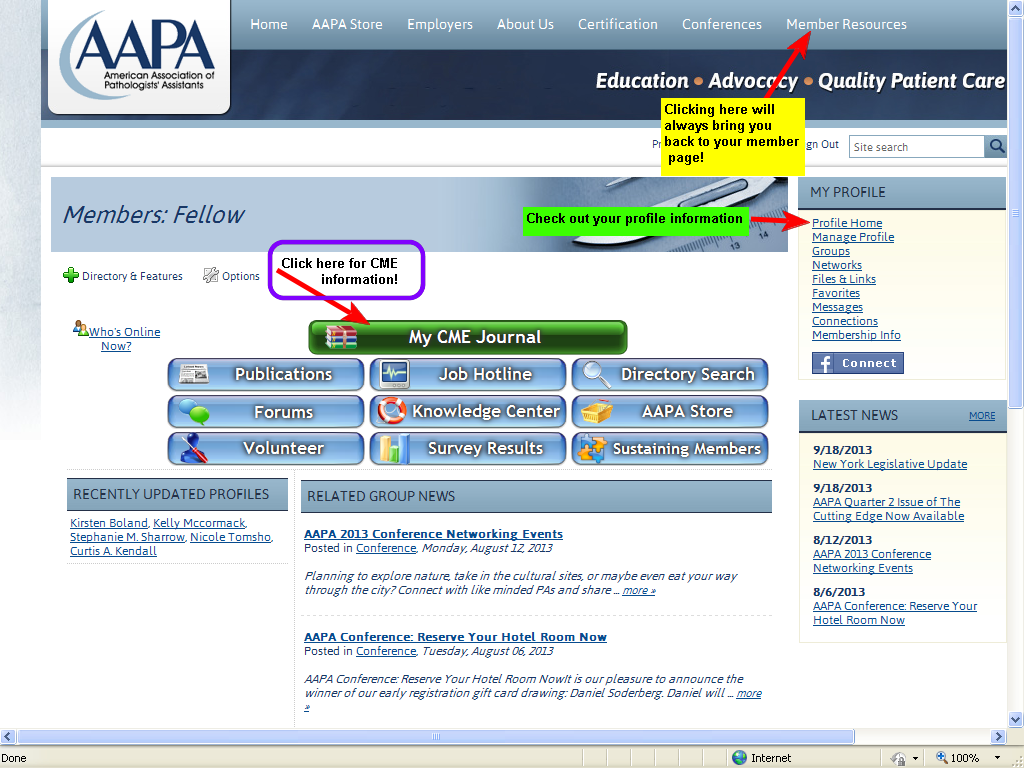
STEP 3: Welcome to your member resource page! Logging into the AAPA website is very beneficial to all members. From here you can locate your CME information, your profile page, other members of the organization and so much more!Stay connected with the AAPA!
|
 |
|