
Introducing the AAPA Learning Management System (LMS):
The AAPA Learning Management System (LMS) is your all-in-one online training hub, designed to help you advance your knowledge and skills on your terms. With CE Your Way, you have the flexibility to tailor your learning experience to fit your schedule, whether you’re at home, in the office, or on the go.
As an AAPA member, you get exclusive, free access to a variety of educational content, including continuing education (CE) courses and essential resources, all designed to support your professional growth. Whether you’re looking to sharpen your clinical skills, stay up to date with the latest advancements, or earn your required CE credits, the AAPA LMS empowers you with the tools and flexibility to learn your way, anytime, anywhere.

Key Features of the AAPA LMS:
Available 24/7: The LMS is accessible online whenever you need it, so you can learn at your convenience, whether it’s during your lunch break, on weekends, or after hours.
Learn at Your Own Pace: No deadlines or set schedules — the LMS is designed for you to engage with the material at your own speed, ensuring a personalized and flexible learning experience.
User-Friendly Interface: The LMS features an intuitive, easy-to-navigate design that makes it simple to find the resources you need and track your learning progress.
Comprehensive Learning Hub: All of your CE courses and resources are available in one convenient location, from quizzes and on-demand webinars to downloadable study materials — everything you need to enhance your knowledge is just a few clicks away.
Searchable Course Library: Quickly find the CE courses that suit your interests and professional needs. Browse categories such as:
General AP Quizzes
Advanced AP Quizzes
General AP Quizzes with On-Demand Webinars
The Cutting Edge Journal Articles
Study Guide Materials, and more!
Sign-In with Your AAPA Credentials: Access the LMS using your AAPA login credentials, ensuring a seamless and secure experience.
Supplemental Resources for Deeper Learning: Many courses offer downloadable resources, such as PDFs, presentations, and articles, allowing you to explore topics in greater depth and reinforce your learning.
CE Credit Reporting:
As an AAPA Fellow, you’ll continue to enjoy the convenience of CE credit reporting through AAPA. Once you complete a course in the LMS, your earned credits will continue to be reported to the ASCP on a weekly basis, saving you time and ensuring you stay on top of your CE requirements. This easy process means you can focus on learning, while AAPA takes care of tracking your progress and reporting your credits.
Get Started Today:
Log in now to explore the AAPA Learning Management System and start earning your CE credits with ease! Visit aapa.maplelms.com today!
Logging In to the LMS During Our System Upgrade
We are upgrading the technology behind your AAPA member account so that your membership and education records work together more smoothly.
Beginning October 8, the “Login via AAPA” single sign-on option on the LMS login page will be temporarily unavailable. Your courses, progress, and certificates will remain safe and unchanged. During this temporary transition, you’ll simply use a different way to sign in to the LMS.
On October 8, 2026, follow the steps below to sign into the AAPA LMS.
Step 1: Go to the LMS login page.
Visit https://aapa.maplelms.com/login and use the username and password fields on the left side of the page (outlined in red below). Please do not use the “Login via AAPA” button on the right – it will not work until the upgrade is complete.
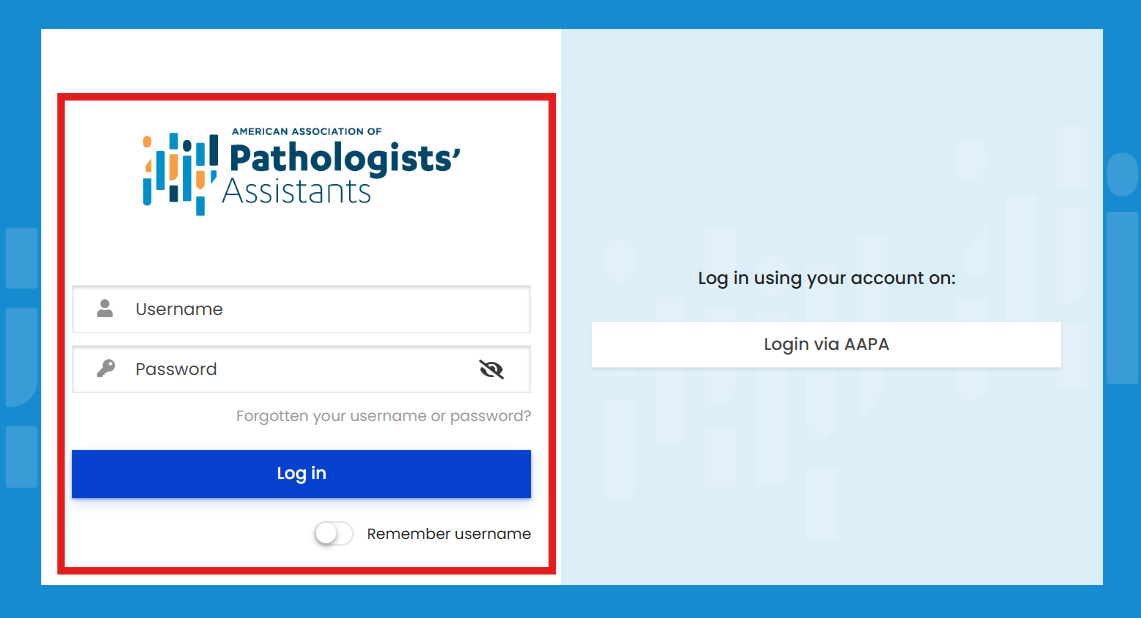
Step 2: Enter your username and temporary password.
- Username: the email address AAPA has on file for you
- Temporary password: provided in an email sent to you by AAPA
Then select Log in.
Step 3: Set your own password.
Because the temporary password is shared with all members, please change it as soon as you log in.
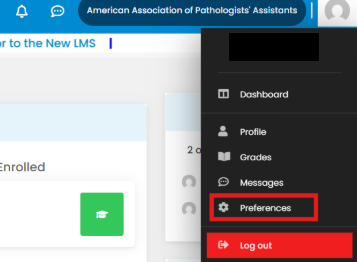
- Select your profile icon in the upper right corner of the screen, then choose Preferences.
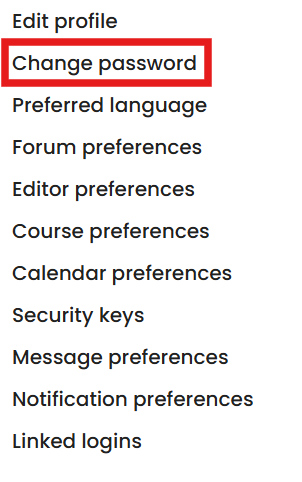
- Under User account, select Change password.
- Enter your temporary password as your current password, create your new password, type it a second time to confirm, and select Save changes.
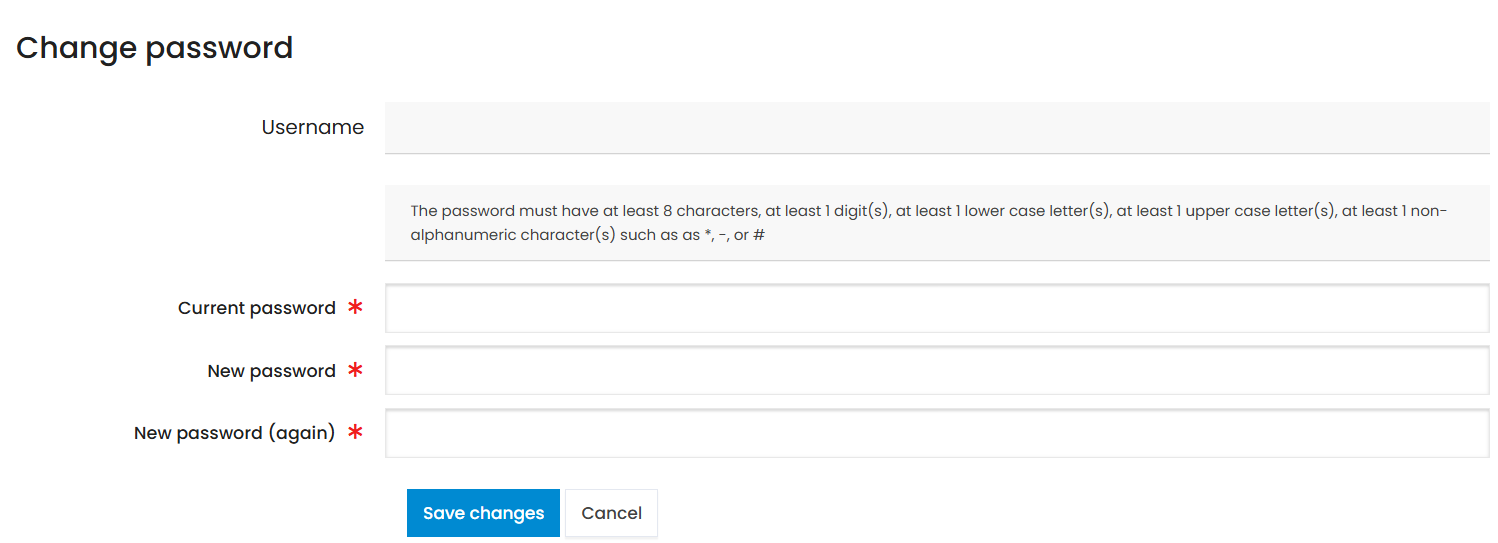
Your new password must be at least 8 characters long and include at least one number, one lowercase letter, one uppercase letter, and one symbol such as *, – or #.
A few things to know
- Nothing you have completed is lost. Your course history, in-progress coursework, and certificates carry over.
- You do not need to re-enroll in or re-purchase anything.
Need help?
If your username is not recognized or the temporary password does not work, email us at [support email] or call [phone] and we will get you back into your courses.
Thank you for your patience while we make these systems work better for you.
Steps to Create Your Account
Visit the AAPA Learning Management System Login Page
Navigate to the login page for the AAPA Learning Management System.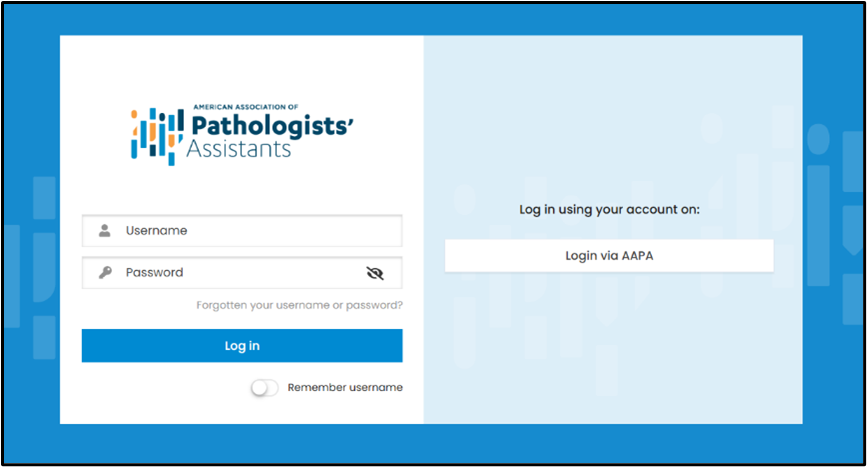
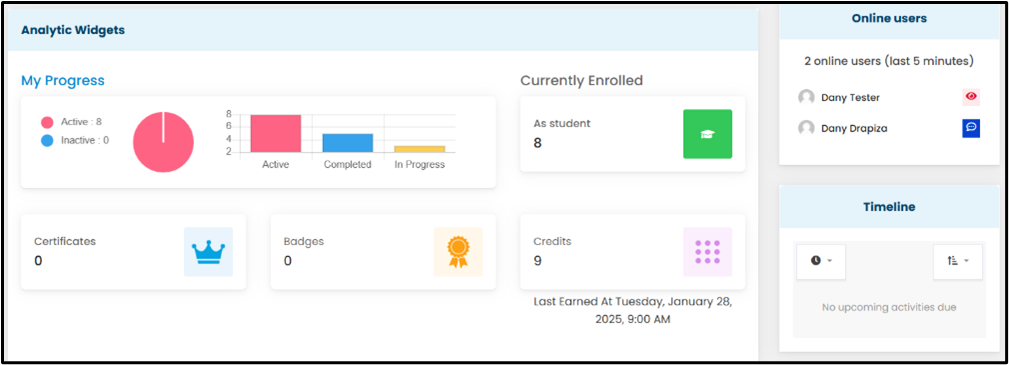
Log in with Your AAPA Credentials
Enter your AAPA username and password to access your account. This will take you to your new LMS account dashboard.
Browse Available Courses
Navigate to the LMS menu and click the âAll Coursesâ tab.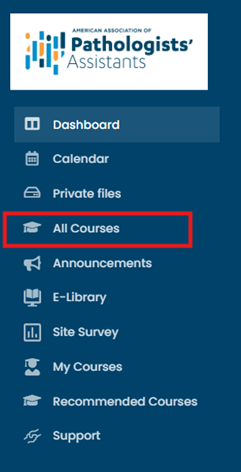
Start Learning
Enroll in any available free CE course and begin your learning journey! You can explore courses by category using the dropdown list on the right side of the screen.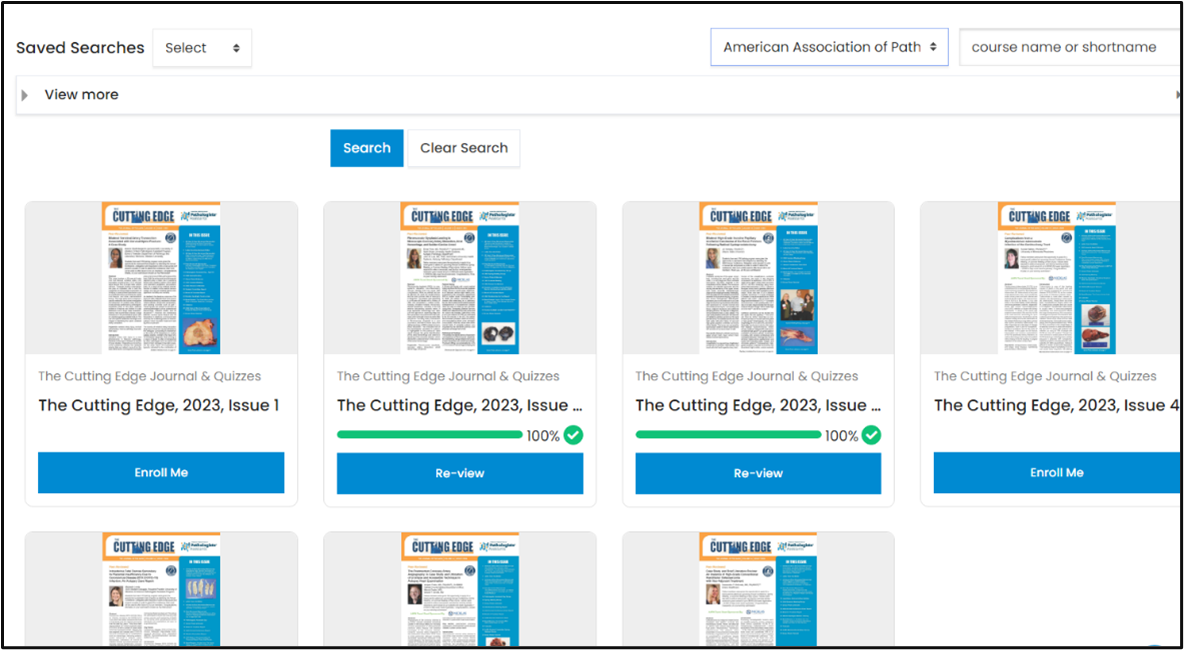
Download these instructions via pdf.
This continuing medical laboratory education activity is recognized by the American Society for Clinical Pathology as meeting the criteria for CMLE credit. ASCP CMLE credits are acceptable to meet the continuing education requirement for the ASCP Board of Registry Certification Maintenance Program.